Bulk paste
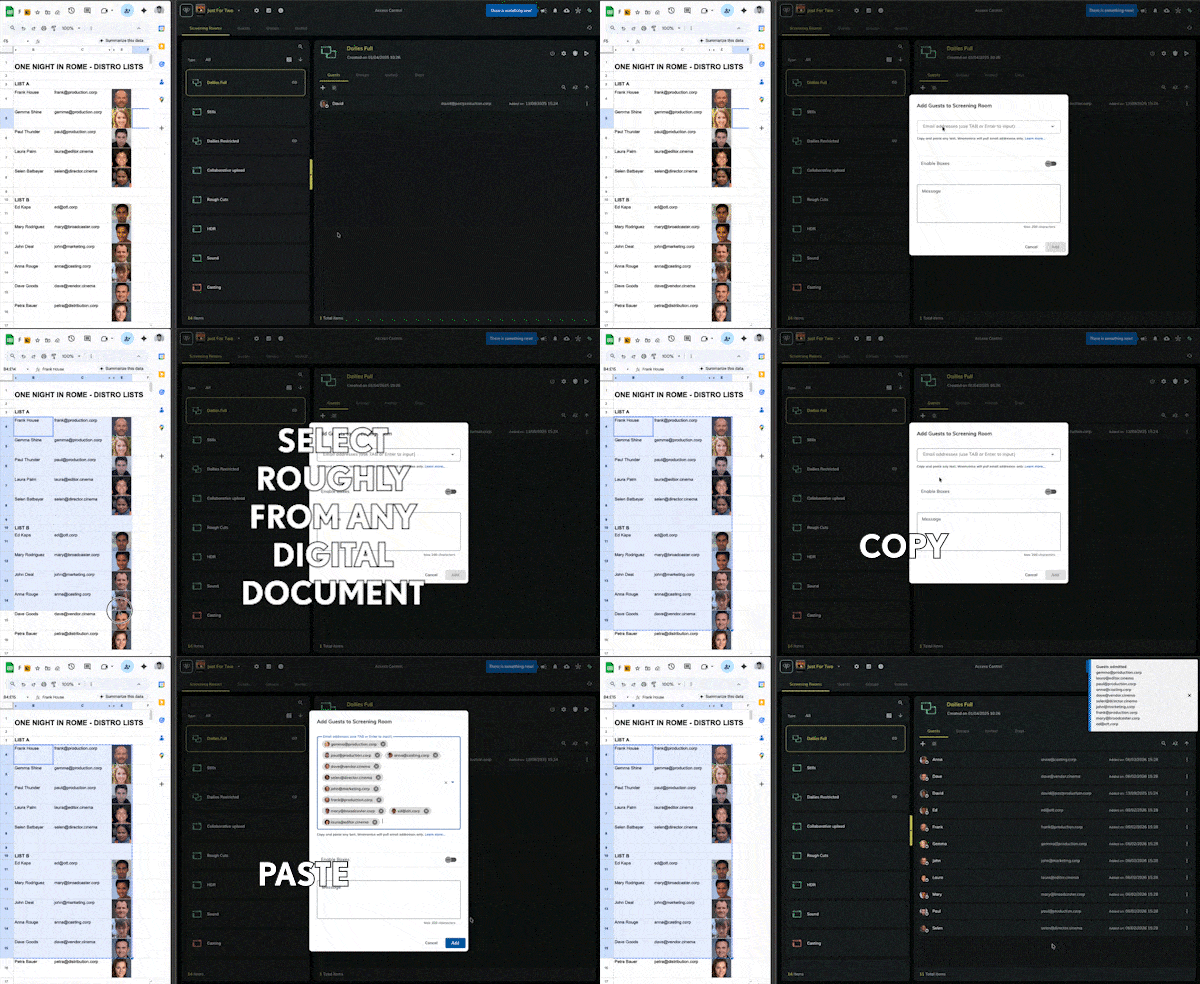
Paste text that contains many email addresses into an invitation field, and Mnemonica keeps only the addresses.
- Progetti
- ProductionArchive
- Ruoli
- ManagerOperatorPower GuestGuest
- Aggiornato
To invite many users to a resource (a Project, a Screening Room or a Box), copy any text that contains email addresses and paste it in the related field. The text can come from any document, including HTML, XLS, CSV and all the Rich Text Formats.
You can copy text that is not an email address. Mnemonica removes it automatically and puts only the email addresses in the field.
Bulk paste works in these windows:
- Send Box
- Invite Guests to a Room
- Invite Guests to a Group
- Invite Guests to a Project
- Invite Guests to a Work in Archive Projects (Managers only)
Try it
Copy the whole table below and paste it into an email address input field. Mnemonica keeps only the email addresses.
| username | emailaddress@username.com | address this |
| username@mail.com | This is a link | This won't crash |
| send the invite to | another@emailaddress.com |
Articoli correlati
About Room Audiences
Learn how the Audience of a Screening Room works, who can admit Guests and Groups, and where to manage them.
Guests management
Learn how to use the Guests management page to manage which Guests and Groups can enter each Screening Room.
Pending invitations management
Send reminders for pending invitations or cancel them, for Guests, Power Guests and Team Members.
Adding Groups to Screening Rooms
Admit one or more Groups of Guests to a Screening Room, or copy Groups from one Room to another.